How to Use Qwen3.5 Plus with OpenClaw
Qwen's Qwen3.5 Plus is a powerful multilingual model with strong reasoning and coding capabilities. Connect it to your OpenClaw instance in minutes via OpenRouter and control it through WhatsApp, Telegram, Discord, or Slack.
Why Use Qwen3.5 Plus with OpenClaw?
Qwen3.5 Plus brings frontier-level intelligence to your self-hosted AI agent at competitive pricing.
Advanced Reasoning
Qwen3.5 Plus delivers strong analytical and multi-step reasoning capabilities, making it well-suited for complex AI agent workflows and problem solving.
Multilingual Excellence
Outstanding Chinese and English bilingual performance with broad multilingual support across dozens of languages — ideal for global teams.
Strong Coding Abilities
Handles code generation, debugging, and technical tasks with high accuracy — a great fit for DevOps automation and development workflows.
Long Context Window
Qwen3.5 Plus supports extended context lengths, letting your OpenClaw agent handle lengthy conversations, documents, and multi-turn interactions.
Cost-Effective via OpenRouter
Access Qwen3.5 Plus through OpenRouter at competitive per-token pricing. One API key gives you Qwen3.5 Plus and hundreds of other models — no separate Alibaba Cloud account needed.
Fast Inference
Low-latency responses mean your OpenClaw agent replies quickly through WhatsApp, Telegram, Discord, or Slack.
Setup in 4 Steps
Get Qwen3.5 Plus running as your OpenClaw agent via OpenRouter in under five minutes.
Get Your OpenRouter API Key
Sign up at openrouter.ai, navigate to the API Keys section, and generate a new key. OpenRouter gives you access to Qwen3.5 Plus and hundreds of other models with a single key — no separate Alibaba Cloud account required.
Open the DeployClaw Dashboard
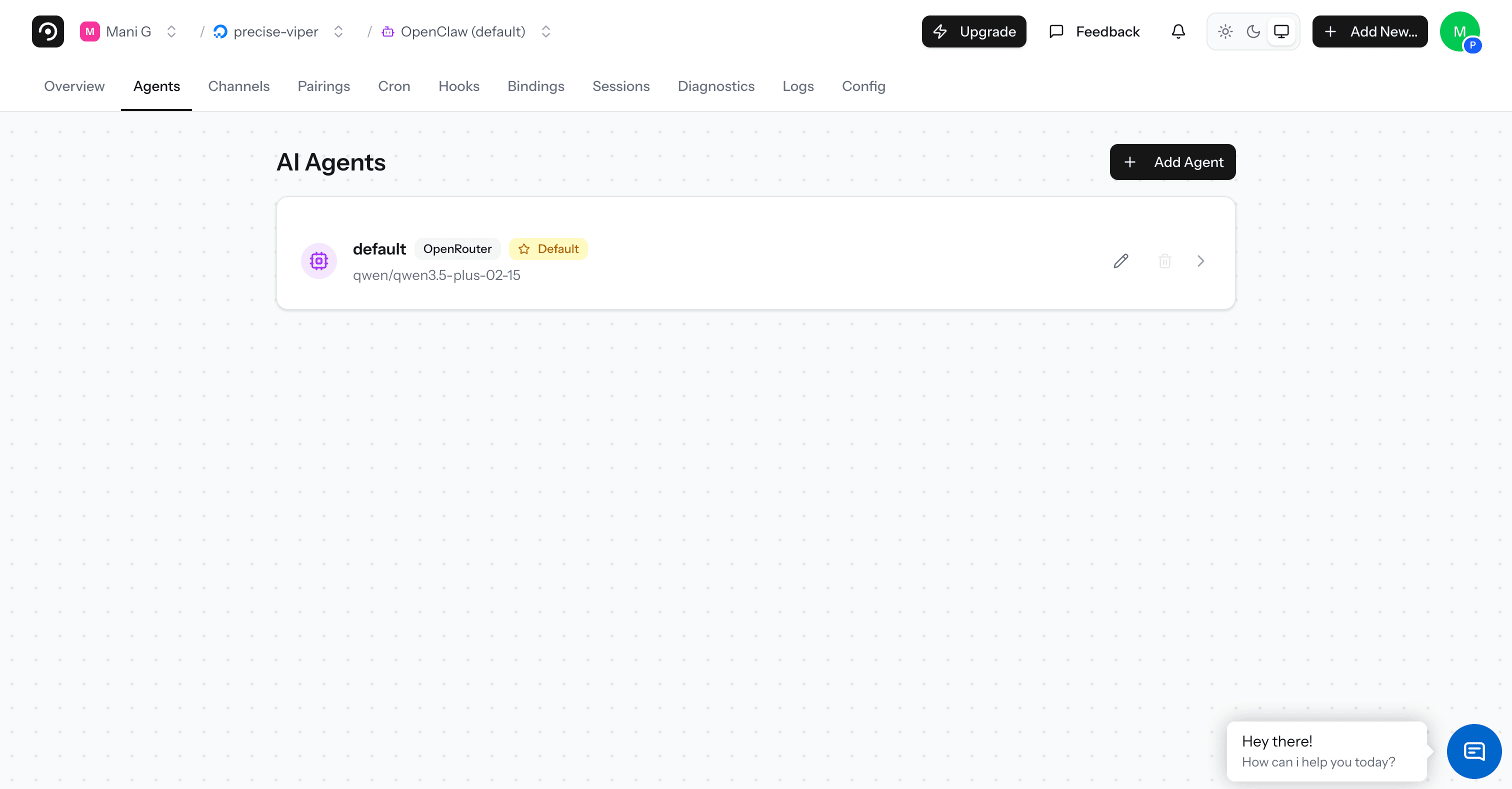
Log in to app.deployclaw.com and open your OpenClaw instance. Navigate to the Agents tab from the top menu.
Add a New Agent
Click "+ Add Agent", select "OpenRouter" as the provider, paste your API key and click Verify. Then choose "Qwen: Qwen3.5 Plus" from the Model dropdown.
Configure and Deploy
Give your agent a name (e.g., "Qwen Agent") and click "Add Agent" to save. Your OpenClaw instance will now route messages to Qwen3.5 Plus through OpenRouter.
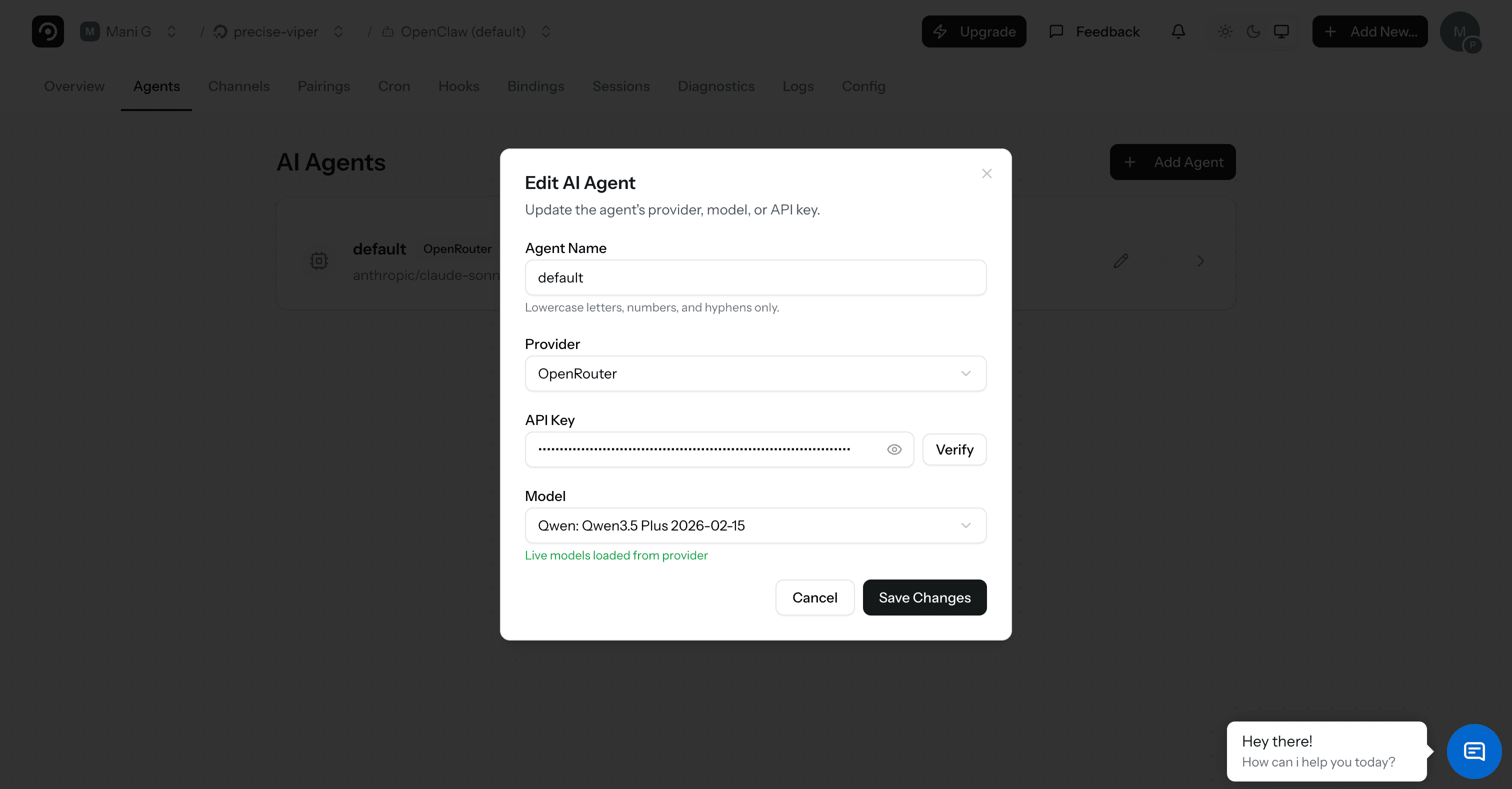
That's it. Your OpenClaw agent is now powered by Qwen3.5 Plus. Send it a message through any connected platform to start.
Frequently Asked Questions
What is Qwen3.5 Plus?
Qwen3.5 Plus is a large language model developed by Qwen (Alibaba Cloud). It offers strong multilingual reasoning, coding, and long-context capabilities, making it a powerful choice for AI agent workflows.
Why use OpenRouter instead of Alibaba Cloud's API directly?
OpenRouter gives you access to Qwen3.5 Plus and hundreds of other models with a single API key and unified billing. No need to create a separate Alibaba Cloud account. You can also switch models instantly without changing provider settings.
How much does Qwen3.5 Plus cost through OpenRouter?
OpenRouter charges per token at competitive rates based on the model. You pay OpenRouter for API usage and DeployClaw separately for the deployment platform. Check openrouter.ai for current Qwen3.5 Plus pricing.
Can I switch between Qwen3.5 Plus and other models?
Absolutely. Since you're using OpenRouter, switching models is as easy as changing the model selection in your agent settings. Try Qwen3.5 Plus, Claude, GPT, Llama, or any other model — all through the same API key.
Does Qwen3.5 Plus work with all OpenClaw features?
Yes. Qwen3.5 Plus works with all OpenClaw capabilities including shell access, file management, web browsing, and messaging platform integrations. It supports tool calling required by OpenClaw's agent framework.
Is my data sent to Alibaba Cloud?
When using Qwen3.5 Plus via OpenRouter, messages are routed through OpenRouter to Alibaba Cloud for inference. If data privacy is a concern, you can run a local model via Ollama instead. OpenClaw supports both cloud and local models.
Start using Qwen3.5 Plus with OpenClaw
Deploy your own AI agent powered by Qwen's latest model via OpenRouter.